Start with your SMS.
Allow inbox access to import supported mobile money messages, or paste them yourself. Repeat imports skip duplicate transaction IDs.
 PesaLedger
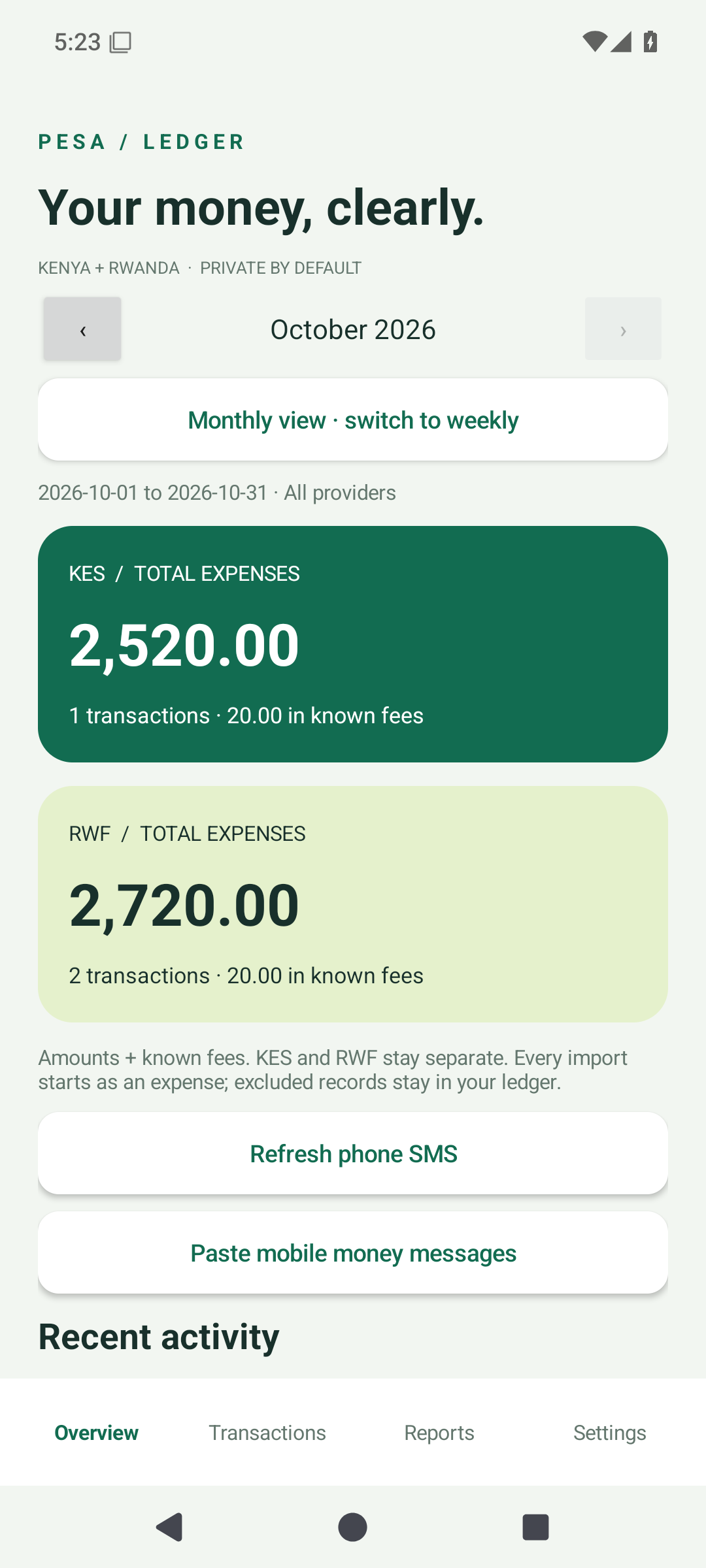
Turn your mobile money messages into a clearer picture of your spending. One Android app for M-Pesa, MTN MoMo and Airtel Money.
Public beta · Android 8+ · Version 0.3.0
Use local reports without an account. Sign in for optional AI insights.
LESS GUESSWORK. MORE UNDERSTANDING.
You already have the receipts. Pesa Ledger helps you make sense of them, one transaction at a time.
Allow inbox access to import supported mobile money messages, or paste them yourself. Repeat imports skip duplicate transaction IDs.
Review categories, add notes, correct amounts and set monthly budgets. Keep KES and RWF separate, with known fees included.
Browse weekly and monthly reports, schedule daily, weekly or monthly notifications, and export your records when you need them.
A SECOND LOOK, WHEN YOU WANT IT
Optional AI insights put your category totals and transaction fees into plain English. You choose when to generate a report.
Create your own accountEach person has their own login and allowance. Beta access includes up to 10 AI requests per account per UTC day, subject to shared service capacity.
Illustrative insight · sample data
“Your RWF spending includes RWF 20 in fees. Categorizing your two expenses will help you see where the money went.”
AI can make mistakes. Your ledger calculates the totals.
YOUR PHONE. YOUR LEDGER.
Your transaction ledger lives on your device. Other people’s accounts cannot access it, and signing in does not upload it.
A CLEARER VIEW STARTS HERE
Signed public beta · Android 8 or newer
Version 0.3.0 · Download directly from this website.
Tap the download button on your Android phone, then open the APK from your downloads.
If Android asks, allow your browser to install this app. Follow Android’s prompts and tap Install. Your phone controls the installation.
Import or paste your SMS. For AI, create your own account in Settings and sign in. Your phone’s ledger stays local.
A FEW THINGS TO KNOW
Yes. Each person installs the app on their own phone and gets a separate AI account. Your transactions remain in your own phone’s private app storage. Accounts do not share ledgers, and there is no cloud ledger sync.
No. It reads supported transaction messages with your permission, or messages you paste. It cannot send money, check your provider account directly or request your mobile money PIN.
The beta recognizes the initial outgoing M-Pesa Kenya transfer/payment format, MTN MoMo Rwanda payment format, and Airtel Money Rwanda transfer format. Other formats, incoming money and reversals are not yet reconciled. Review your ledger; a skipped message is not included in totals.
Local imports, categories, budgets and reports work without an account or internet. An account and internet are needed for AI insights. AI access has per-user and shared beta allowances; registration does not guarantee unlimited reports.
Export CSV for spreadsheets or a full JSON backup to move transactions. Keep backups private: they contain recipient information and are not encrypted by the app. Restoring adds missing records. Uninstalling clears local app data, so export a backup first.
The public beta uses a dedicated release signing certificate. If Android won’t update an earlier developer build, first export a JSON backup from that build. Then uninstall it, install this beta and restore the backup.
Password recovery is not available in this beta. Keep your password in a password manager. Your local ledger works independently of your AI login. Account deletion is available on the account page after signing in.
A signed Android APK, version 0.3.0. This is a public beta distributed from this website, not a Google Play listing. Release details load here when the download is ready.